将 Article 结构化数据添加到您的新闻、博客和体育报道页面后,Google 就能更深入地了解您的网页,并在 Google 搜索及其他 Google 产品和服务(例如 Google 新闻和 Google 助理)上的搜索结果中为您网页上的文章显示更好的标题文字、图片和日期信息。虽然不需要添加标记即可使用焦点新闻等 Google 新闻功能,但您可以添加 Article 以便更明确地告知 Google 您的内容的要旨(例如,它是新闻报道、作者是谁或文章标题是什么)。
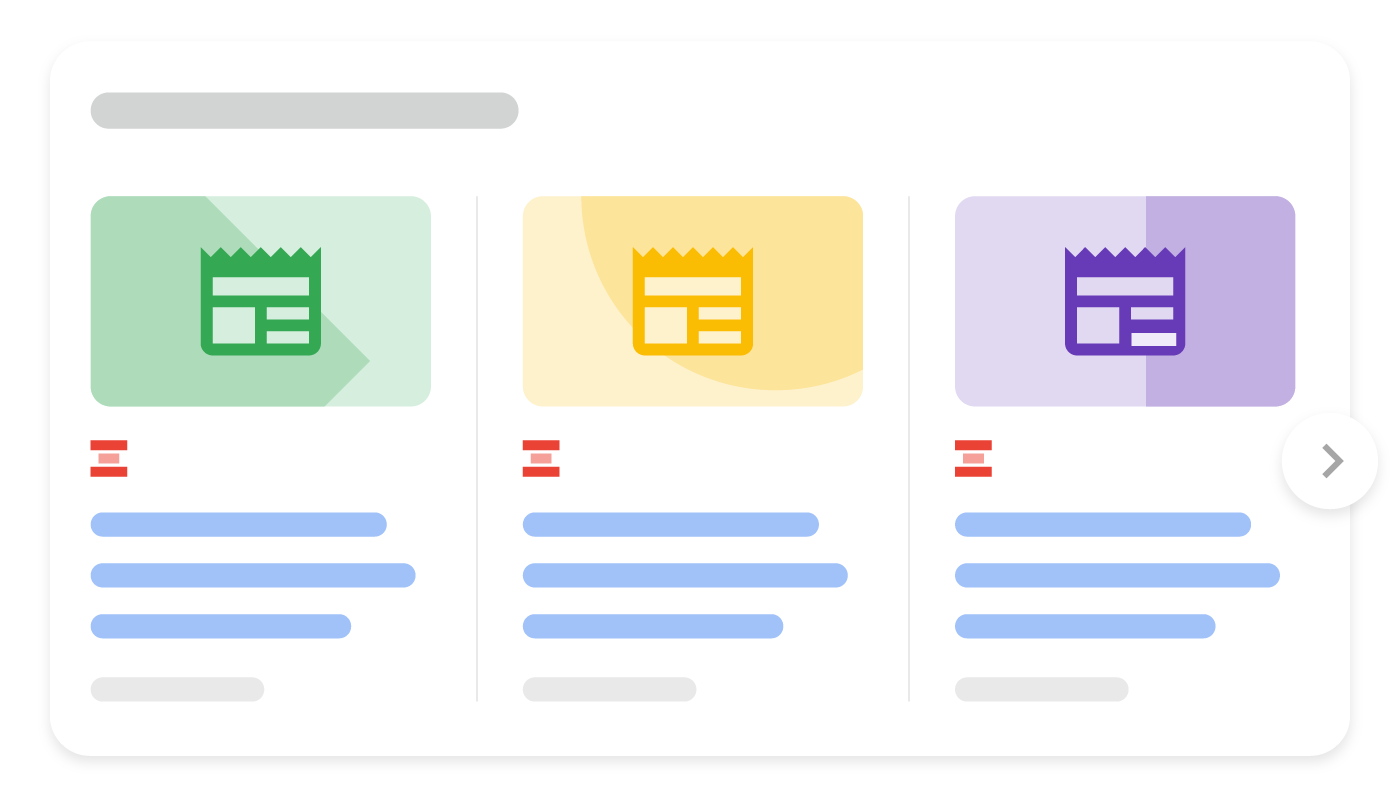
示例
下面是一个包含 Article 结构化数据的网页示例。
JSON-LD
<html>
  <head>
    <title>Title of a News Article</title>
    <script type="application/ld+json">
    {
      "@context": "https://schema.org",
      "@type": "NewsArticle",
      "headline": "Title of a News Article",
      "image": [
        "https://example.com/photos/1x1/photo.jpg",
        "https://example.com/photos/4x3/photo.jpg",
        "https://example.com/photos/16x9/photo.jpg"
       ],
      "datePublished": "2024-01-05T08:00:00+08:00",
      "dateModified": "2024-02-05T09:20:00+08:00",
      "author": [{
          "@type": "Person",
          "name": "Jane Doe",
          "url": "https://example.com/profile/janedoe123"
        },{
          "@type": "Person",
          "name": "John Doe",
          "url": "https://example.com/profile/johndoe123"
      }]
    }
    </script>
  </head>
  <body>
  </body>
</html>


<html>
<head>
<title>Title of a News Article</title>
<script type="application/ld+json">
{
"@context": "https://schema.org",
"@type": "NewsArticle",
"headline": "Title of a News Article",
"image": [
"https://example.com/photos/1x1/photo.jpg",
"https://example.com/photos/4x3/photo.jpg",
"https://example.com/photos/16x9/photo.jpg"
],
"datePublished": "2024-01-05T08:00:00+08:00",
"dateModified": "2024-02-05T09:20:00+08:00",
"author": [{
"@type": "Person",
"name": "Jane Doe",
"url": "https://example.com/profile/janedoe123"
},{
"@type": "Person",
"name": "John Doe",
"url": "https://example.com/profile/johndoe123"
}]
}
</script>
</head>
<body>
</body>
</html>微数据
<html> <head> <title>Title of a News Article</title> </head> <body> <div itemscope itemtype="https://schema.org/NewsArticle"> <div itemprop="headline">Title of News Article</div> <meta itemprop="image" content="https://example.com/photos/1x1/photo.jpg" /> <meta itemprop="image" content="https://example.com/photos/4x3/photo.jpg" /> <img itemprop="image" src="https://example.com/photos/16x9/photo.jpg" /> <div> <span itemprop="datePublished" content="2024-01-05T08:00:00+08:00"> January 5, 2024 at 8:00am </span> (last modified <span itemprop="dateModified" content="2024-02-05T09:20:00+08:00"> February 5, 2024 at 9:20am </span>) </div> <div> by <span itemprop="author" itemscope itemtype="https://schema.org/Person"> <a itemprop="url" href="https://example.com/profile/janedoe123"> <span itemprop="name">Jane Doe</span> </a> </span> and <span itemprop="author" itemscope itemtype="https://schema.org/Person"> <a itemprop="url" href="https://example.com/profile/johndoe123"> <span itemprop="name">John Doe</span> </a> </span> </div> </div> </body> </html>
<html>
  <head>
    <title>Title of a News Article</title>
  </head>
  <body>
    <div itemscope itemtype="https://schema.org/NewsArticle">
      <div itemprop="headline">Title of News Article</div>
      <meta itemprop="image" content="https://example.com/photos/1x1/photo.jpg" />
      <meta itemprop="image" content="https://example.com/photos/4x3/photo.jpg" />
      <img itemprop="image" src="https://example.com/photos/16x9/photo.jpg" />
      <div>
        <span itemprop="datePublished" content="2024-01-05T08:00:00+08:00">
          January 5, 2024 at 8:00am
        </span>
        (last modified
        <span itemprop="dateModified" content="2024-02-05T09:20:00+08:00">
          February 5, 2024 at 9:20am
        </span>
        )
      </div>
      <div>
        by
        <span itemprop="author" itemscope itemtype="https://schema.org/Person">
          <a itemprop="url" href="https://example.com/profile/janedoe123">
            <span itemprop="name">Jane Doe</span>
          </a>
        </span>
        and
        <span itemprop="author" itemscope itemtype="https://schema.org/Person">
          <a itemprop="url" href="https://example.com/profile/johndoe123">
            <span itemprop="name">John Doe</span>
          </a>
        </span>
      </div>
    </div>
  </body>
</html>
如何添加结构化数据
结构化数据是一种提供网页相关信息并对网页内容进行分类的标准化格式。如果您不熟悉结构化数据,可以详细了解结构化数据的运作方式。
下面概述了如何构建、测试和发布结构化数据。
- 添加尽可能多的适用于您网页的建议属性。没有必需添加的属性,根据您的内容按需添加即可。根据您使用的格式,了解在网页上的什么位置插入结构化数据。
- 遵循指南。
- 使用富媒体搜索结果测试验证您的代码,并修复所有严重错误。此外,您还可以考虑修正该工具中可能会标记的任何非严重问题,因为这些这样有助于提升结构化数据的质量(不过,要使内容能够显示为富媒体搜索结果,并非必须这么做)。
- 部署一些包含您的结构化数据的网页,然后使用网址检查工具测试 Google 看到的网页样貌。请确保您的网页可供 Google 访问,不会因 robots.txt 文件、
noindex标记或登录要求而被屏蔽。如果网页看起来没有问题,您可以请求 Google 重新抓取您的网址。 - 为了让 Google 随时了解日后发生的更改,我们建议您提交站点地图。Search Console Sitemap API 可以帮助您自动执行此操作。
指南
要使您的结构化数据能够显示在 Google 搜索结果中,您必须遵循以下指南。
技术指南
- 对于分为多个部分的文章,请确保
rel=canonical指向每一个网页或“查看全部”网页(而不是指向某个由多部分构成的系列中的第 1 页)。详细了解规范化。 - 如果您将网站内容设为基于订阅的访问模式,或者如果用户必须注册才能访问您的内容,建议您为订阅和付费内容添加结构化数据。
结构化数据类型定义
为了帮助 Google 更好地了解您的网页,请添加尽可能多的适用于该网页的建议属性。没有必需添加的属性,根据您的内容按需添加即可。
Article 对象
Article 对象必须基于以下 schema.org 类型之一:Article、NewsArticle 和 BlogPosting。
Google 支持的属性如下:
| 建议属性 | |
|---|---|
| author | Person 或 Organization 文章的作者。为了帮助 Google 更好地了解各种功能中的作者,建议您遵循作者标记最佳实践。 |
| author.name | Text 作者的名字。 |
| author.url | URL 可唯一标识文章作者的网页链接。例如作者的社交媒体页面、“关于我”页面或个人简介页面。如果该网址是内部个人资料页面,我们建议您使用个人资料页面结构化数据标记该作者。sameAs 属性可作为替代属性。在区分作者时,Google 可以理解 sameAs 和 url。 |
| dateModified | DateTime 文章的最近修改日期和时间,采用 ISO 8601 格式。我们建议您提供时区信息;否则,我们会默认采用 Googlebot 使用的时区。如果要向 Google 提供更准确的日期信息,请添加 dateModified 属性。富媒体搜索结果测试不会显示有关此属性的警告,因为它只是建议的属性,需要您斟酌是否适用于您的网站。 |
| datePublished | DateTime 文章的首次发布日期和时间,采用 ISO 8601 格式。我们建议您提供时区信息;否则,我们会默认采用 Googlebot 使用的时区。如果要向 Google 提供更准确的日期信息,请添加 datePublished 属性。富媒体搜索结果测试不会显示有关此属性的警告,因为它只是建议的属性,需要您斟酌是否适用于您的网站。 |
| headline | Text 文章的标题。建议使用简洁的标题,因为长标题在某些设备上可能会被截断。 |
| image | 重复的 ImageObject 或 URL 指向代表文章的图片的网址。请使用与文章相关的图片,而不是徽标或图片说明。其他的图片指南:每个网页必须包含至少 1 张图片(无论您是否添加了标记)。Google 将根据宽高比和分辨率挑选最合适的图片显示在搜索结果中。图片网址必须可抓取且可编入索引。如需检查 Google 能否访问您的网址,请使用网址检查工具。图片必须代表标记的内容。图片必须采用受 Google 图片支持的文件格式。为取得最佳效果,建议您提供具有以下宽高比的多个高分辨率图片(宽度乘以高度至少为 50K 像素):16x9、4x3 和 1x1。例如:"image": [ "https://example.com/photos/1x1/photo.jpg", "https://example.com/photos/4x3/photo.jpg", "https://example.com/photos/16x9/photo.jpg" ] |
作者标记最佳实践
为了帮助 Google 更好地了解和代表内容的作者,我们建议您在标记中指定作者时遵循以下最佳实践:
| 作者标记的最佳实践 | |
|---|---|
| 在标记中添加所有作者 | 确保以作者身份显示在网页上的所有作者均包含在标记中。 |
| 指定多位作者 | 指定多位作者时,请在各自的 author 字段中列出每位作者:"author": [ {"name": "Willow Lane"}, {"name": "Regula Felix"} ] 请勿在同一 author 字段中合并多位作者:"author": { "name": "Willow Lane, Regula Felix" } |
| 使用其他字段 | 为了帮助 Google 更好地了解作者是谁,强烈建议您使用 type 和 url (或 sameAs)属性。为 url 或 sameAs 属性使用有效的网址。例如,如果作者是个人,您可以链接到作者的网页(其中提供了有关该作者的详细信息):"author": [ { "@type": "Person", "name": "Willow Lane", "url": "https://www.example.com/staff/willow_lane" } ] 如果作者为组织,您可以链接到该组织的首页。"author": [ { "@type": "Organization", "name": "Some News Agency", "url": "https://www.example.com/" } ] |
| 请仅在 author.name 属性中指定作者的名字 | 在 author.name 属性中,仅指定作者的名字。请勿添加任何其他信息。更具体地说,请勿添加以下信息:发布商的名称。请改用 publisher 属性。作者的工作职位。如果您想指定该信息,请使用相应的属性 ( jobTitle)。前缀或后缀敬称。如果您要指定该信息,请使用相应的属性(honorificPrefix 或 honorificSuffix)。介绍性字词(例如,不得包含“发布者”等字词)。"author": [ { "@type": "Person", "name": "Echidna Jones", "honorificPrefix": "Dr", "jobTitle": "Editor in Chief" } ], "publisher": [ { "@type": "Organization", "name": "Bugs Daily" } ] } |
| 使用适当的 Type | 对个人使用 Person 类型,对组织使用 Organization 类型。不要使用 Thing 类型,也不要使用错误类型(例如,对某人使用 Organization 类型)。 |
下面的示例应用了作者标记最佳实践:
"author":
  [
    {
      "@type": "Person",
      "name": "Willow Lane",
      "jobTitle": "Journalist",
      "url": "https://www.example.com/staff/willow-lane"
    },
    {
      "@type": "Person",
      "name": "Echidna Jones",
      "jobTitle": "Editor in Chief",
      "url": "https://www.example.com/staff/echidna-jones"
    }
  ],
"publisher":
  {
    "@type": "Organization",
    "name": "The Daily Bug",
    "url": "https://www.example.com"
  },
  // + Other fields related to the article...
}
问题排查
如果您在实施或调试结构化数据时遇到问题,请查看下面列出的一些实用资源。
- 如果您使用了内容管理系统 (CMS) 或其他人负责管理您的网站,请向其寻求帮助。请务必向其转发列明问题细节的任何 Search Console 消息。
- Google 不能保证使用结构化数据的功能一定会显示在搜索结果中。如需查看导致 Google 无法将您的内容显示为富媒体搜索结果的各种常见原因,请参阅结构化数据常规指南。
- 您的结构化数据可能存在错误。请查看结构化数据错误列表和“无法解析的结构化数据”报告。
- 如果您的网页受到结构化数据手动操作的影响,其中的结构化数据将会被忽略(但该网页仍可能会出现在 Google 搜索结果中)。如需修正结构化数据问题,请使用“人工处置措施”报告。
- 再次查看相关指南,确认您的内容是否未遵循指南。问题可能是因为出现垃圾内容或使用垃圾标记导致的。不过,问题可能不是语法问题,因此富媒体搜索结果测试无法识别这些问题。
- 结构化数据问题可能会影响网站内容在搜索结果中的显示方式。请参阅针对富媒体搜索结果缺失/富媒体搜索结果总数下降进行问题排查指南,了解在 Search Console 中发现、修正和验证这些问题的分步方法。
- 请等待一段时间,以便 Google 重新抓取您的网页并重新将其编入索引。请注意,网页发布后,Google 可能需要几天时间才会找到和抓取该网页。有关抓取和索引编制的常见问题,请参阅 Google 搜索抓取和索引编制常见问题解答。
- 在 Google 搜索中心论坛中发帖提问。