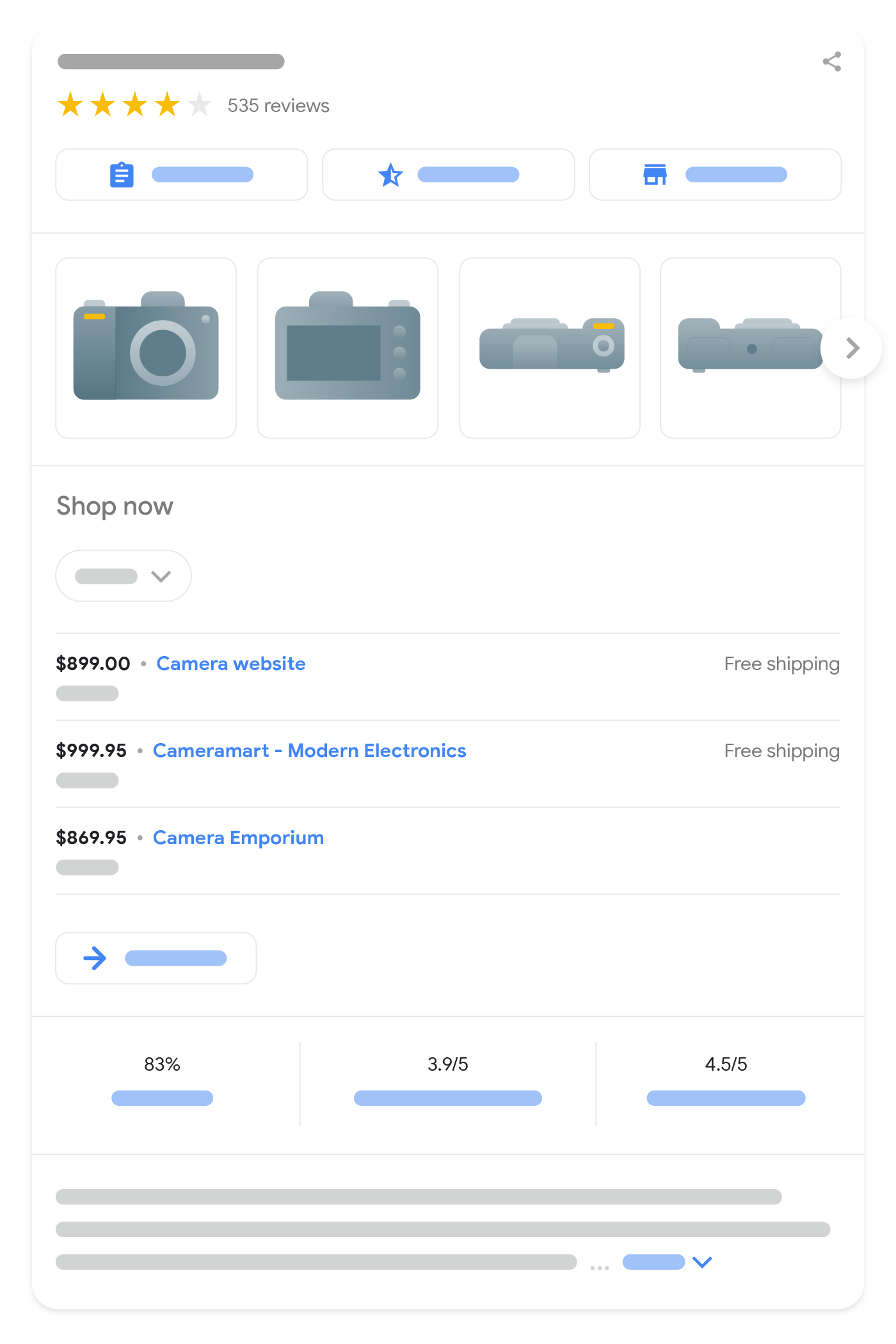
将 Product 标记添加到您的网页后,该网页便有资格显示在 Google 搜索上的商家信息体验中,包括购物知识面板、Google 图片、热门商品搜索结果和商品摘要。商家信息可以突出显示有关商品的更具体的数据,例如价格、库存状况、配送和退货信息。
本指南重点介绍了商家信息的 Product 结构化数据要求。如果您不确定要使用哪个标记,请参阅我们的 Product 标记简介。
如何添加结构化数据
结构化数据是一种提供网页相关信息并对网页内容进行分类的标准化格式。如果您不熟悉结构化数据,可以详细了解结构化数据的运作方式。
下面概述了如何构建、测试和发布结构化数据。如需获得向网页添加结构化数据的分步指南,请查看结构化数据 Codelab。
- 添加必要属性。根据您使用的格式,了解在网页上的什么位置插入结构化数据。
- 遵循指南。
- 使用富媒体搜索结果测试验证您的代码,并修复所有严重错误。此外,您还可以考虑修正该工具中可能会标记的任何非严重问题,因为这些这样有助于提升结构化数据的质量(不过,要使内容能够显示为富媒体搜索结果,并非必须这么做)。
- 部署一些包含您的结构化数据的网页,然后使用网址检查工具测试 Google 看到的网页样貌。请确保您的网页可供 Google 访问,不会因 robots.txt 文件、
noindex标记或登录要求而被屏蔽。如果网页看起来没有问题,您可以请求 Google 重新抓取您的网址。 - 为了让 Google 随时了解日后发生的更改,我们建议您提交站点地图。Search Console Sitemap API 可以帮助您自动执行此操作。
示例
以下示例说明了如何在不同情况下在您的网页中添加结构化数据。
包含出价信息的商品页面
下面是一个销售商品的商品页面示例,其中包含商品评价。
JSON-LD
 <html>
  <head>
    <title>Executive Anvil</title>
    <script type="application/ld+json">
    {
      "@context": "https://schema.org/",
      "@type": "Product",
      "name": "Executive Anvil",
      "image": [
        "https://example.com/photos/1x1/photo.jpg",
        "https://example.com/photos/4x3/photo.jpg",
        "https://example.com/photos/16x9/photo.jpg"
       ],
      "description": "Sleeker than ACME's Classic Anvil, the Executive Anvil is perfect for the business traveler looking for something to drop from a height.",
      "sku": "0446310786",
      "mpn": "925872",
      "brand": {
        "@type": "Brand",
        "name": "ACME"
      },
      "review": {
        "@type": "Review",
        "reviewRating": {
          "@type": "Rating",
          "ratingValue": 4,
          "bestRating": 5
        },
        "author": {
          "@type": "Person",
          "name": "Fred Benson"
        }
      },
      "aggregateRating": {
        "@type": "AggregateRating",
        "ratingValue": 4.4,
        "reviewCount": 89
      },
      "offers": {
        "@type": "Offer",
        "url": "https://example.com/anvil",
        "priceCurrency": "USD",
        "price": 119.99,
        "priceValidUntil": "2024-11-20",
        "itemCondition": "https://schema.org/UsedCondition",
        "availability": "https://schema.org/InStock"
      }
    }
    </script>
  </head>
  <body>
  </body>
</html>


<html>
<head>
<title>Executive Anvil</title>
<script type="application/ld+json">
{
"@context": "https://schema.org/",
"@type": "Product",
"name": "Executive Anvil",
"image": [
"https://example.com/photos/1x1/photo.jpg",
"https://example.com/photos/4x3/photo.jpg",
"https://example.com/photos/16x9/photo.jpg"
],
"description": "Sleeker than ACME's Classic Anvil, the Executive Anvil is perfect for the business traveler looking for something to drop from a height.",
"sku": "0446310786",
"mpn": "925872",
"brand": {
"@type": "Brand",
"name": "ACME"
},
"review": {
"@type": "Review",
"reviewRating": {
"@type": "Rating",
"ratingValue": 4,
"bestRating": 5
},
"author": {
"@type": "Person",
"name": "Fred Benson"
}
},
"aggregateRating": {
"@type": "AggregateRating",
"ratingValue": 4.4,
"reviewCount": 89
},
"offers": {
"@type": "Offer",
"url": "https://example.com/anvil",
"priceCurrency": "USD",
"price": 119.99,
"priceValidUntil": "2024-11-20",
"itemCondition": "https://schema.org/UsedCondition",
"availability": "https://schema.org/InStock"
}
}
</script>
</head>
<body>
</body>
</html>RDFa
 <html>
  <head>
    <title>Executive Anvil</title>
  </head>
  <body>
    <div typeof="schema:Product">
        <div rel="schema:review">
          <div typeof="schema:Review">
            <div rel="schema:reviewRating">
              <div typeof="schema:Rating">
                <div property="schema:ratingValue" content="4"></div>
                <div property="schema:bestRating" content="5"></div>
              </div>
            </div>
            <div rel="schema:author">
              <div typeof="schema:Person">
                <div property="schema:name" content="Fred Benson"></div>
              </div>
            </div>
          </div>
        </div>
        <div rel="schema:image" resource="https://example.com/photos/4x3/photo.jpg"></div>
        <div property="schema:mpn" content="925872"></div>
        <div property="schema:name" content="Executive Anvil"></div>
        <div property="schema:description" content="Sleeker than ACME's Classic Anvil, the Executive Anvil is perfect for the business traveler looking for something to drop from a height."></div>
        <div rel="schema:image" resource="https://example.com/photos/1x1/photo.jpg"></div>
        <div rel="schema:brand">
          <div typeof="schema:Brand">
            <div property="schema:name" content="ACME"></div>
          </div>
        </div>
        <div rel="schema:aggregateRating">
          <div typeof="schema:AggregateRating">
            <div property="schema:reviewCount" content="89"></div>
            <div property="schema:ratingValue" content="4.4"></div>
          </div>
        </div>
        <div rel="schema:offers">
          <div typeof="schema:Offer">
            <div property="schema:price" content="119.99"></div>
            <div property="schema:availability" content="https://schema.org/InStock"></div>
            <div property="schema:priceCurrency" content="USD"></div>
            <div property="schema:priceValidUntil" datatype="xsd:date" content="2024-11-20"></div>
            <div rel="schema:url" resource="https://example.com/anvil"></div>
            <div property="schema:itemCondition" content="https://schema.org/UsedCondition"></div>
          </div>
        </div>
        <div rel="schema:image" resource="https://example.com/photos/16x9/photo.jpg"></div>
        <div property="schema:sku" content="0446310786"></div>
      </div>
  </body>
</html>
<html>
<head>
<title>Executive Anvil</title>
</head>
<body>
<div typeof="schema:Product">
<div rel="schema:review">
<div typeof="schema:Review">
<div rel="schema:reviewRating">
<div typeof="schema:Rating">
<div property="schema:ratingValue" content="4"></div>
<div property="schema:bestRating" content="5"></div>
</div>
</div>
<div rel="schema:author">
<div typeof="schema:Person">
<div property="schema:name" content="Fred Benson"></div>
</div>
</div>
</div>
</div>
<div rel="schema:image" resource="https://example.com/photos/4x3/photo.jpg"></div>
<div property="schema:mpn" content="925872"></div>
<div property="schema:name" content="Executive Anvil"></div>
<div property="schema:description" content="Sleeker than ACME's Classic Anvil, the Executive Anvil is perfect for the business traveler looking for something to drop from a height."></div>
<div rel="schema:image" resource="https://example.com/photos/1x1/photo.jpg"></div>
<div rel="schema:brand">
<div typeof="schema:Brand">
<div property="schema:name" content="ACME"></div>
</div>
</div>
<div rel="schema:aggregateRating">
<div typeof="schema:AggregateRating">
<div property="schema:reviewCount" content="89"></div>
<div property="schema:ratingValue" content="4.4"></div>
</div>
</div>
<div rel="schema:offers">
<div typeof="schema:Offer">
<div property="schema:price" content="119.99"></div>
<div property="schema:availability" content="https://schema.org/InStock"></div>
<div property="schema:priceCurrency" content="USD"></div>
<div property="schema:priceValidUntil" datatype="xsd:date" content="2024-11-20"></div>
<div rel="schema:url" resource="https://example.com/anvil"></div>
<div property="schema:itemCondition" content="https://schema.org/UsedCondition"></div>
</div>
</div>
<div rel="schema:image" resource="https://example.com/photos/16x9/photo.jpg"></div>
<div property="schema:sku" content="0446310786"></div>
</div>
</body>
</html>微数据
 <html>
  <head>
    <title>Executive Anvil</title>
  </head>
  <body>
  <div>
    <div itemtype="https://schema.org/Product" itemscope>
      <meta itemprop="mpn" content="925872" />
      <meta itemprop="name" content="Executive Anvil" />
      <link itemprop="image" href="https://example.com/photos/16x9/photo.jpg" />
      <link itemprop="image" href="https://example.com/photos/4x3/photo.jpg" />
      <link itemprop="image" href="https://example.com/photos/1x1/photo.jpg" />
      <meta itemprop="description" content="Sleeker than ACME's Classic Anvil, the Executive Anvil is perfect for the business traveler looking for something to drop from a height." />
      <div itemprop="offers" itemtype="https://schema.org/Offer" itemscope>
        <link itemprop="url" href="https://example.com/anvil" />
        <meta itemprop="availability" content="https://schema.org/InStock" />
        <meta itemprop="priceCurrency" content="USD" />
        <meta itemprop="itemCondition" content="https://schema.org/UsedCondition" />
        <meta itemprop="price" content="119.99" />
        <meta itemprop="priceValidUntil" content="2024-11-20" />
      </div>
      <div itemprop="aggregateRating" itemtype="https://schema.org/AggregateRating" itemscope>
        <meta itemprop="reviewCount" content="89" />
        <meta itemprop="ratingValue" content="4.4" />
      </div>
      <div itemprop="review" itemtype="https://schema.org/Review" itemscope>
        <div itemprop="author" itemtype="https://schema.org/Person" itemscope>
          <meta itemprop="name" content="Fred Benson" />
        </div>
        <div itemprop="reviewRating" itemtype="https://schema.org/Rating" itemscope>
          <meta itemprop="ratingValue" content="4" />
          <meta itemprop="bestRating" content="5" />
        </div>
      </div>
      <meta itemprop="sku" content="0446310786" />
      <div itemprop="brand" itemtype="https://schema.org/Brand" itemscope>
        <meta itemprop="name" content="ACME" />
      </div>
    </div>
  </div>
  </body>
</html>
<html>
<head>
<title>Executive Anvil</title>
</head>
<body>
<div>
<div itemtype="https://schema.org/Product" itemscope>
<meta itemprop="mpn" content="925872" />
<meta itemprop="name" content="Executive Anvil" />
<link itemprop="image" href="https://example.com/photos/16x9/photo.jpg" />
<link itemprop="image" href="https://example.com/photos/4x3/photo.jpg" />
<link itemprop="image" href="https://example.com/photos/1x1/photo.jpg" />
<meta itemprop="description" content="Sleeker than ACME's Classic Anvil, the Executive Anvil is perfect for the business traveler looking for something to drop from a height." />
<div itemprop="offers" itemtype="https://schema.org/Offer" itemscope>
<link itemprop="url" href="https://example.com/anvil" />
<meta itemprop="availability" content="https://schema.org/InStock" />
<meta itemprop="priceCurrency" content="USD" />
<meta itemprop="itemCondition" content="https://schema.org/UsedCondition" />
<meta itemprop="price" content="119.99" />
<meta itemprop="priceValidUntil" content="2024-11-20" />
</div>
<div itemprop="aggregateRating" itemtype="https://schema.org/AggregateRating" itemscope>
<meta itemprop="reviewCount" content="89" />
<meta itemprop="ratingValue" content="4.4" />
</div>
<div itemprop="review" itemtype="https://schema.org/Review" itemscope>
<div itemprop="author" itemtype="https://schema.org/Person" itemscope>
<meta itemprop="name" content="Fred Benson" />
</div>
<div itemprop="reviewRating" itemtype="https://schema.org/Rating" itemscope>
<meta itemprop="ratingValue" content="4" />
<meta itemprop="bestRating" content="5" />
</div>
</div>
<meta itemprop="sku" content="0446310786" />
<div itemprop="brand" itemtype="https://schema.org/Brand" itemscope>
<meta itemprop="name" content="ACME" />
</div>
</div>
</div>
</body>
</html>价格
Google 可识别三种价格:
现行价格商品目前的售价。原价在促销期间,商品通常出售的较高正常价。它可能会显示为划线价格,以吸引用户注意到已调低的现行价格。会员价向特定会员回馈活动的会员提供的商品价格。
这些价格是使用 Offer 对象下的价格说明进行编码的(现行价格除外,现行价格也可以在 offer 级别进行编码)。各个价格说明由价格说明属性 priceType 和 validForMemberTier 标识,不得同时使用:
- 现行价格既没有
priceType属性,也没有validForMemberTier属性。 - 原价会将
priceType属性设为StrikethroughPrice(在过渡期内,也允许使用ListPrice),并且不能包含validForMemberTier属性。 - 会员价使用
validForMemberTier属性标记,并且不能包含priceType属性。
系统会忽略同时包含这两种属性的价格说明。
现行价格
下面是两个以 JSON-LD 格式对现行价格进行编码的示例。您可以使用 price 属性指定现行价格,如下所示:
"offers": {
  "@type": "Offer",
  "price": 10.00,
  "priceCurrency": "USD",
  ...
}
或者,您可以使用 priceSpecification 属性指定现行价格。
"offers": {
  "@type": "Offer",
  "priceSpecification": {
    "@type": "UnitPriceSpecification",
    "price": 10.00,
    "priceCurrency": "USD"
  },
  ...
}
促销价
以下示例展示了包含促销价的商品数据。如果您提供原价作为第二个价格,并使用 priceType 属性(值为 https://schema.org/StrikethroughPrice)进行标记,则当前的有效价格会自动变为促销价。请勿使用 priceType 属性标记现行价格。
{
  "@context": "https://schema.org/",
  "@type": "Product",
  "name": "Nice trinket",
  "offers": {
    "@type": "Offer",
    "url": "https://www.example.com/trinket_offer",
    "price": 10.00,
    "priceCurrency": "GBP",
    "priceSpecification": {
      "@type": "UnitPriceSpecification",
      "priceType": "https://schema.org/StrikethroughPrice",
      "price": 15.00,
      "priceCurrency": "GBP"
    }
  }
}
或者,您可以使用两个 UnitPriceSpecification 对象来指定促销价和原价:
{
  "@context": "https://schema.org/",
  "@type": "Product",
  "name": "Nice trinket",
  "offers": {
    "@type": "Offer",
    "priceSpecification": [
      {
        "@type": "UnitPriceSpecification",
        "price": 10.00,
        "priceCurrency": "GBP"
      },
      {
        "@type": "UnitPriceSpecification",
        "priceType": "https://schema.org/StrikethroughPrice",
        "price": 15.00,
        "priceCurrency": "GBP"
      }
    ]
  }
}
促销活动持续时间
如需指定促销价的有效时间段,请使用以下采用 ISO 8601 格式的 schema.org 属性(例如 2025-12-31T23:59:59+01:00):
- 开始日期和时间:使用
validFrom属性。 - 结束日期和时间:使用
validThrough属性或priceValidUntil属性。
最佳做法:
- 同时提供开始日期/时间和结束日期/时间,以明确定义促销期。
- 确保开始日期/时间(来自
validFrom属性)早于或等于结束日期/时间(来自validThrough属性或priceValidUntil属性)。 - 建议您以 ISO 8601 格式添加时间和时区,以便 Google 系统准确处理。
属性的放置位置:
- 在
Offer节点上:您可以将validFrom属性和(validThrough属性或priceValidUntil属性)直接添加到Offer节点。当Offer节点上的price属性表示当前有效的促销价时,系统会应用这些日期。 - 在
PriceSpecification节点上:如果促销价是在PriceSpecification节点内定义的(通常是没有priceType属性且还存在StrikethroughPrice值的节点),请将validFrom属性和validThrough属性添加到该特定PriceSpecification节点。请注意,priceValidUntil属性不适用于PriceSpecification类型。
以下示例展示了包含促销价的商品数据。时长属性会添加到 Offer 节点中,因为 Offer 节点上的 price 属性包含促销价。
{
  "@context": "https://schema.org/",
  "@type": "Product",
  "name": "Nice trinket",
  "offers": {
    "@type": "Offer",
    "url": "https://www.example.com/trinket_offer",
    "price": 10.00,
    "priceCurrency": "GBP",
    "validFrom": "2025-11-20T08:00:00+00:00",
    "priceValidUntil": "2025-11-30T23:59:59+00:00",
    "priceSpecification": {
      "@type": "UnitPriceSpecification",
      "priceType": "https://schema.org/StrikethroughPrice",
      "price": 15.00,
      "priceCurrency": "GBP"
    }
  }
}
或者,您可以使用两个 UnitPriceSpecification 对象来指定促销价和原价:持续时间属性添加到包含促销价的 UnitPriceSpecification 对象中:
{
  "@context": "https://schema.org/",
  "@type": "Product",
  "name": "Nice trinket",
  "offers": {
    "@type": "Offer",
    "priceSpecification": [
      {
        "@type": "UnitPriceSpecification",
        "price": 10.00,
        "priceCurrency": "GBP",
        "validFrom": "2025-11-20T08:00:00+00:00",
        "validThrough": "2025-11-30T23:59:59+00:00"
      },
      {
        "@type": "UnitPriceSpecification",
        "priceType": "https://schema.org/StrikethroughPrice",
        "price": 15.00,
        "priceCurrency": "GBP"
      }
    ]
  }
}
会员价格
下面是四个对会员价进行编码的示例。在第一个示例中,现行价格在 offer 级别使用 price 属性指定,会员价在价格说明中给出,并使用 validForMemberTier 属性进行标记:
"offers": {
  "@type": "Offer",
  "url": "https://www.example.com/trinket_offer",
  "price": 10.00,
  "priceCurrency": "GBP",
  "priceSpecification": {
    "@type": "UnitPriceSpecification",
    "price": 8.00,
    "priceCurrency": "GBP",
    "validForMemberTier": {
      "@type": "MemberProgramTier",
      "@id": "https://www.example.com/com/members#tier_gold"
    }
  }
}
第二个示例同时显示了使用价格说明编码的现行价格和会员价:
"offers": {
  "@type": "Offer",
  "url": "https://www.example.com/trinket_offer",
  "priceSpecification": [
    {
      "@type": "UnitPriceSpecification",
      "price": 10.00,
      "priceCurrency": "GBP"
    },
    {
      "@type": "UnitPriceSpecification",
      "price": 8.00,
      "priceCurrency": "GBP",
      "validForMemberTier": {
        "@type": "MemberProgramTier",
        "@id": "https://www.example.com/com/members#tier_gold"
      }
    }
  ]
}
第三个示例演示了如何在单个 offer 级别对多个会员回馈活动级别的促销价、原价和会员价进行编码:
"offers": {
  "@type": "Offer",
  "url": "https://www.example.com/trinket_offer",
  "priceSpecification": [
    {
      "@type": "UnitPriceSpecification",
      "price": 9.00,
      "priceCurrency": "GBP"
    },
    {
      "@type": "UnitPriceSpecification",
      "priceType": "https://schema.org/StrikethroughPrice",
      "price": 10.00,
      "priceCurrency": "GBP"
    },
    {
      "@type": "UnitPriceSpecification",
      "price": 8.00,
      "priceCurrency": "GBP",
      "validForMemberTier": {
        "@type": "MemberProgramTier",
        "@id": "https://www.example.com/com/members#tier_silver"
      }
    },
    {
      "@type": "UnitPriceSpecification",
      "price": 7.00,
      "priceCurrency": "GBP",
      "validForMemberTier": [
        {
          "@type": "MemberProgramTier",
          "@id": "https://www.example.com/com/members#tier_gold"
        },
        {
          "@type": "MemberProgramTier",
          "@id": "https://www.example.com/com/members#tier_platinum"
        }
      ]
    }
  ]
}
现行价格也可以在 offer 级别进行编码,如第一个示例所示。
在第四个示例中,会员价说明显示的是会员积分,而不是会员价:
"offers": {
  "@type": "Offer",
  "url": "https://www.example.com/trinket_offer",
  "price": 10.00,
  "priceCurrency": "GBP",
  "priceSpecification": {
    "@type": "UnitPriceSpecification",
    "membershipPointsEarned": 20,
    "validForMemberTier": {
      "@type": "MemberProgramTier",
      "@id": "https://www.example.com/com/members#tier_gold"
    }
  }
}
包含价格计量单位的价格
以下示例展示了如何指定 200 毫升商品的价格,该商品通常以 100 毫升的倍数销售。例如,如果您销售一瓶 200 毫升的香水,则可以向客户展示您的香水每 100 毫升的费用是多少。以下示例显示,香水的价格为每 100 毫升 100 欧元,这意味着一瓶 200 毫升的香水需要 200 欧元。这种定价方式在欧盟、新西兰和澳大利亚对于按体积、长度或重量销售的商品来说尤为重要。
存在价格计量单位和基准价格计量单位时,在 UnitPriceSpecification 内指定现行价格,并使用 referenceQuantity 属性提供价格计量单位:
"offers": {
  "@type": "Offer",
  "url": "https://www.example.com/perfume_offer",
  "priceSpecification": {
    "@type": "UnitPriceSpecification",
    "price": 200.00,
    "priceCurrency": "EUR",
    "referenceQuantity": {
      "@type": "QuantitativeValue",
      "value": "200",
      "unitCode": "ML",
      "valueReference": {
        "@type": "QuantitativeValue",
        "value": "100",
        "unitCode": "ML"
      }
    }
  }
}
配送详情
下面是一个包含配送详情的商品页面示例。在此示例中,居住在美国的所有用户运费均为 $3.49。如需查看更多示例,请参阅配送部分。
JSON-LD
 <html>
  <head>
    <title>Nice trinket</title>
    <script type="application/ld+json">
    {
      "@context": "https://schema.org/",
      "@type": "Product",
      "sku": "trinket-12345",
      "gtin14": "00012345600012",
      "image": [
        "https://example.com/photos/16x9/trinket.jpg",
        "https://example.com/photos/4x3/trinket.jpg",
        "https://example.com/photos/1x1/trinket.jpg"
      ],
      "name": "Nice trinket",
      "description": "Trinket with clean lines",
      "brand": {
        "@type": "Brand",
        "name": "MyBrand"
      },
      "offers": {
        "@type": "Offer",
        "url": "https://www.example.com/trinket_offer",
        "itemCondition": "https://schema.org/NewCondition",
        "availability": "https://schema.org/InStock",
        "price": 39.99,
        "priceCurrency": "USD",
        "priceValidUntil": "2024-11-20",
        "shippingDetails": {
          "@type": "OfferShippingDetails",
          "shippingRate": {
            "@type": "MonetaryAmount",
            "value": 3.49,
            "currency": "USD"
          },
          "shippingDestination": {
            "@type": "DefinedRegion",
            "addressCountry": "US"
          },
          "deliveryTime": {
            "@type": "ShippingDeliveryTime",
            "handlingTime": {
              "@type": "QuantitativeValue",
              "minValue": 0,
              "maxValue": 1,
              "unitCode": "DAY"
            },
            "transitTime": {
              "@type": "QuantitativeValue",
              "minValue": 1,
              "maxValue": 5,
              "unitCode": "DAY"
            }
          }
        }
      },
      "review": {
        "@type": "Review",
          "reviewRating": {
            "@type": "Rating",
            "ratingValue": 4,
            "bestRating": 5
          },
          "author": {
            "@type": "Person",
            "name": "Fred Benson"
          }
        },
        "aggregateRating": {
          "@type": "AggregateRating",
          "ratingValue": 4.4,
          "reviewCount": 89
        }
      }
    </script>
  </head>
  <body>
  </body>
</html>


<html>
<head>
<title>Nice trinket</title>
<script type="application/ld+json">
{
"@context": "https://schema.org/",
"@type": "Product",
"sku": "trinket-12345",
"gtin14": "00012345600012",
"image": [
"https://example.com/photos/16x9/trinket.jpg",
"https://example.com/photos/4x3/trinket.jpg",
"https://example.com/photos/1x1/trinket.jpg"
],
"name": "Nice trinket",
"description": "Trinket with clean lines",
"brand": {
"@type": "Brand",
"name": "MyBrand"
},
"offers": {
"@type": "Offer",
"url": "https://www.example.com/trinket_offer",
"itemCondition": "https://schema.org/NewCondition",
"availability": "https://schema.org/InStock",
"price": 39.99,
"priceCurrency": "USD",
"priceValidUntil": "2024-11-20",
"shippingDetails": {
"@type": "OfferShippingDetails",
"shippingRate": {
"@type": "MonetaryAmount",
"value": 3.49,
"currency": "USD"
},
"shippingDestination": {
"@type": "DefinedRegion",
"addressCountry": "US"
},
"deliveryTime": {
"@type": "ShippingDeliveryTime",
"handlingTime": {
"@type": "QuantitativeValue",
"minValue": 0,
"maxValue": 1,
"unitCode": "DAY"
},
"transitTime": {
"@type": "QuantitativeValue",
"minValue": 1,
"maxValue": 5,
"unitCode": "DAY"
}
}
}
},
"review": {
"@type": "Review",
"reviewRating": {
"@type": "Rating",
"ratingValue": 4,
"bestRating": 5
},
"author": {
"@type": "Person",
"name": "Fred Benson"
}
},
"aggregateRating": {
"@type": "AggregateRating",
"ratingValue": 4.4,
"reviewCount": 89
}
}
</script>
</head>
<body>
</body>
</html>RDFa
 <html>
  <head>
    <title>Nice trinket</title>
  </head>
  <body>
    <div typeof="schema:Product">
      <div property="schema:sku" content="trinket-12345"></div>
      <div property="schema:gtin14" content="00012345600012"></div>
      <div property="schema:name" content="Nice trinket"></div>
      <div rel="schema:image" resource="https://example.com/photos/16x9/trinket.jpg"></div>
      <div rel="schema:image" resource="https://example.com/photos/4x3/trinket.jpg"></div>
      <div rel="schema:image" resource="https://example.com/photos/1x1/trinket.jpg"></div>
      <div property="schema:description" content="Trinket with clean lines"></div>
      <div rel="schema:brand">
        <div typeof="schema:Brand">
          <div property="schema:name" content="MyBrand"></div>
        </div>
      </div>
      <div rel="schema:offers">
        <div typeof="schema:Offer">
          <div rel="schema:url" resource="https://example.com/trinket_offer"></div>
          <div property="schema:itemCondition" content="https://schema.org/NewCondition"></div>
          <div property="schema:availability" content="https://schema.org/InStock"></div>
          <div property="schema:price" content="39.99"></div>
          <div property="schema:priceCurrency" content="USD"></div>
          <div property="schema:priceValidUntil" datatype="xsd:date" content="2024-11-20"></div>
          <div rel="schema:shippingDetails">
            <div typeof="schema:OfferShippingDetails">
              <div rel="schema:shippingRate">
                <div typeof="schema:MonetaryAmount">
                  <div property="schema:value" content="3.49"></div>
                  <div property="schema:currency" content="USD"></div>
                </div>
              </div>
              <div rel="schema:shippingDestination">
                <div typeof="schema:DefinedRegion">
                  <div property="schema:addressCountry" content="US"></div>
                </div>
              </div>
              <div rel="schema:deliveryTime">
                <div typeof="schema:ShippingDeliveryTime">
                  <div rel="schema:handlingTime">
                    <div typeof="schema:QuantitativeValue">
                      <div property="schema:minValue" content="0"></div>
                      <div property="schema:maxValue" content="1"></div>
                      <div property="schema:unitCode" content="DAY"></div>
                    </div>
                  </div>
                  <div rel="schema:transitTime">
                    <div typeof="schema:QuantitativeValue">
                      <div property="schema:minValue" content="1"></div>
                      <div property="schema:maxValue" content="5"></div>
                      <div property="schema:unitCode" content="DAY"></div>
                    </div>
                  </div>
                </div>
              </div>
            </div>
          </div>
        </div>
      </div>
      <div rel="schema:review">
        <div typeof="schema:Review">
          <div rel="schema:reviewRating">
            <div typeof="schema:Rating">
              <div property="schema:ratingValue" content="4"></div>
              <div property="schema:bestRating" content="5"></div>
            </div>
          </div>
          <div rel="schema:author">
            <div typeof="schema:Person">
              <div property="schema:name" content="Fred Benson"></div>
            </div>
          </div>
        </div>
      </div>
      <div rel="schema:aggregateRating">
        <div typeof="schema:AggregateRating">
          <div property="schema:reviewCount" content="89"></div>
          <div property="schema:ratingValue" content="4.4"></div>
        </div>
      </div>
    </div>
  </body>
</html>
<html>
<head>
<title>Nice trinket</title>
</head>
<body>
<div typeof="schema:Product">
<div property="schema:sku" content="trinket-12345"></div>
<div property="schema:gtin14" content="00012345600012"></div>
<div property="schema:name" content="Nice trinket"></div>
<div rel="schema:image" resource="https://example.com/photos/16x9/trinket.jpg"></div>
<div rel="schema:image" resource="https://example.com/photos/4x3/trinket.jpg"></div>
<div rel="schema:image" resource="https://example.com/photos/1x1/trinket.jpg"></div>
<div property="schema:description" content="Trinket with clean lines"></div>
<div rel="schema:brand">
<div typeof="schema:Brand">
<div property="schema:name" content="MyBrand"></div>
</div>
</div>
<div rel="schema:offers">
<div typeof="schema:Offer">
<div rel="schema:url" resource="https://example.com/trinket_offer"></div>
<div property="schema:itemCondition" content="https://schema.org/NewCondition"></div>
<div property="schema:availability" content="https://schema.org/InStock"></div>
<div property="schema:price" content="39.99"></div>
<div property="schema:priceCurrency" content="USD"></div>
<div property="schema:priceValidUntil" datatype="xsd:date" content="2024-11-20"></div>
<div rel="schema:shippingDetails">
<div typeof="schema:OfferShippingDetails">
<div rel="schema:shippingRate">
<div typeof="schema:MonetaryAmount">
<div property="schema:value" content="3.49"></div>
<div property="schema:currency" content="USD"></div>
</div>
</div>
<div rel="schema:shippingDestination">
<div typeof="schema:DefinedRegion">
<div property="schema:addressCountry" content="US"></div>
</div>
</div>
<div rel="schema:deliveryTime">
<div typeof="schema:ShippingDeliveryTime">
<div rel="schema:handlingTime">
<div typeof="schema:QuantitativeValue">
<div property="schema:minValue" content="0"></div>
<div property="schema:maxValue" content="1"></div>
<div property="schema:unitCode" content="DAY"></div>
</div>
</div>
<div rel="schema:transitTime">
<div typeof="schema:QuantitativeValue">
<div property="schema:minValue" content="1"></div>
<div property="schema:maxValue" content="5"></div>
<div property="schema:unitCode" content="DAY"></div>
</div>
</div>
</div>
</div>
</div>
</div>
</div>
</div>
<div rel="schema:review">
<div typeof="schema:Review">
<div rel="schema:reviewRating">
<div typeof="schema:Rating">
<div property="schema:ratingValue" content="4"></div>
<div property="schema:bestRating" content="5"></div>
</div>
</div>
<div rel="schema:author">
<div typeof="schema:Person">
<div property="schema:name" content="Fred Benson"></div>
</div>
</div>
</div>
</div>
<div rel="schema:aggregateRating">
<div typeof="schema:AggregateRating">
<div property="schema:reviewCount" content="89"></div>
<div property="schema:ratingValue" content="4.4"></div>
</div>
</div>
</div>
</body>
</html>微数据
 <html>
  <head>
    <title>Nice trinket</title>
  </head>
  <body>
  <div>
    <div itemtype="https://schema.org/Product" itemscope>
      <meta itemprop="sku" content="trinket-12345" />
      <meta itemprop="gtin14" content="00012345600012" />
      <meta itemprop="name" content="Nice trinket" />
      <link itemprop="image" href="https://example.com/photos/16x9/trinket.jpg" />
      <link itemprop="image" href="https://example.com/photos/4x3/trinket.jpg" />
      <link itemprop="image" href="https://example.com/photos/1x1/trinket.jpg" />
      <meta itemprop="description" content="Trinket with clean lines" />
      <div itemprop="brand" itemtype="https://schema.org/Brand" itemscope>
        <meta itemprop="name" content="MyBrand" />
      </div>
      <div itemprop="offers" itemtype="https://schema.org/Offer" itemscope>
        <link itemprop="url" href="https://www.example.com/trinket_offer" />
        <meta itemprop="itemCondition" content="https://schema.org/NewCondition" />
        <meta itemprop="availability" content="https://schema.org/InStock" />
        <meta itemprop="price" content="39.99" />
        <meta itemprop="priceCurrency" content="USD" />
        <meta itemprop="priceValidUntil" content="2024-11-20" />
        <div itemprop="shippingDetails" itemtype="https://schema.org/OfferShippingDetails" itemscope>
          <div itemprop="shippingRate" itemtype="https://schema.org/MonetaryAmount" itemscope>
            <meta itemprop="value" content="3.49" />
            <meta itemprop="currency" content="USD" />
          </div>
          <div itemprop="shippingDestination" itemtype="https://schema.org/DefinedRegion" itemscope>
            <meta itemprop="addressCountry" content="US" />
          </div>
          <div itemprop="deliveryTime" itemtype="https://schema.org/ShippingDeliveryTime" itemscope>
            <div itemprop="handlingTime" itemtype="https://schema.org/QuantitativeValue" itemscope>
              <meta itemprop="minValue" content="0" />
              <meta itemprop="maxValue" content="1" />
              <meta itemprop="unitCode" content="DAY" />
            </div>
            <div itemprop="transitTime" itemtype="https://schema.org/QuantitativeValue" itemscope>
              <meta itemprop="minValue" content="1" />
              <meta itemprop="maxValue" content="5" />
              <meta itemprop="unitCode" content="DAY" />
            </div>
          </div>
        </div>
      </div>
      <div itemprop="review" itemtype="https://schema.org/Review" itemscope>
        <div itemprop="author" itemtype="https://schema.org/Person" itemscope>
          <meta itemprop="name" content="Fred Benson" />
        </div>
        <div itemprop="reviewRating" itemtype="https://schema.org/Rating" itemscope>
          <meta itemprop="ratingValue" content="4" />
          <meta itemprop="bestRating" content="5" />
        </div>
      </div>
      <div itemprop="aggregateRating" itemtype="https://schema.org/AggregateRating" itemscope>
        <meta itemprop="reviewCount" content="89" />
        <meta itemprop="ratingValue" content="4.4" />
      </div>
    </div>
  </div>
  </body>
</html>
<html>
<head>
<title>Nice trinket</title>
</head>
<body>
<div>
<div itemtype="https://schema.org/Product" itemscope>
<meta itemprop="sku" content="trinket-12345" />
<meta itemprop="gtin14" content="00012345600012" />
<meta itemprop="name" content="Nice trinket" />
<link itemprop="image" href="https://example.com/photos/16x9/trinket.jpg" />
<link itemprop="image" href="https://example.com/photos/4x3/trinket.jpg" />
<link itemprop="image" href="https://example.com/photos/1x1/trinket.jpg" />
<meta itemprop="description" content="Trinket with clean lines" />
<div itemprop="brand" itemtype="https://schema.org/Brand" itemscope>
<meta itemprop="name" content="MyBrand" />
</div>
<div itemprop="offers" itemtype="https://schema.org/Offer" itemscope>
<link itemprop="url" href="https://www.example.com/trinket_offer" />
<meta itemprop="itemCondition" content="https://schema.org/NewCondition" />
<meta itemprop="availability" content="https://schema.org/InStock" />
<meta itemprop="price" content="39.99" />
<meta itemprop="priceCurrency" content="USD" />
<meta itemprop="priceValidUntil" content="2024-11-20" />
<div itemprop="shippingDetails" itemtype="https://schema.org/OfferShippingDetails" itemscope>
<div itemprop="shippingRate" itemtype="https://schema.org/MonetaryAmount" itemscope>
<meta itemprop="value" content="3.49" />
<meta itemprop="currency" content="USD" />
</div>
<div itemprop="shippingDestination" itemtype="https://schema.org/DefinedRegion" itemscope>
<meta itemprop="addressCountry" content="US" />
</div>
<div itemprop="deliveryTime" itemtype="https://schema.org/ShippingDeliveryTime" itemscope>
<div itemprop="handlingTime" itemtype="https://schema.org/QuantitativeValue" itemscope>
<meta itemprop="minValue" content="0" />
<meta itemprop="maxValue" content="1" />
<meta itemprop="unitCode" content="DAY" />
</div>
<div itemprop="transitTime" itemtype="https://schema.org/QuantitativeValue" itemscope>
<meta itemprop="minValue" content="1" />
<meta itemprop="maxValue" content="5" />
<meta itemprop="unitCode" content="DAY" />
</div>
</div>
</div>
</div>
<div itemprop="review" itemtype="https://schema.org/Review" itemscope>
<div itemprop="author" itemtype="https://schema.org/Person" itemscope>
<meta itemprop="name" content="Fred Benson" />
</div>
<div itemprop="reviewRating" itemtype="https://schema.org/Rating" itemscope>
<meta itemprop="ratingValue" content="4" />
<meta itemprop="bestRating" content="5" />
</div>
</div>
<div itemprop="aggregateRating" itemtype="https://schema.org/AggregateRating" itemscope>
<meta itemprop="reviewCount" content="89" />
<meta itemprop="ratingValue" content="4.4" />
</div>
</div>
</div>
</body>
</html>免运费
下面是一个面向美国纽约州买家免运费的示例。
"shippingDetails": {
  "@type": "OfferShippingDetails",
  "shippingRate": {
    "@type": "MonetaryAmount",
    "value": "0",
    "currency": "USD"
  },
  "shippingDestination": [
    {
      "@type": "DefinedRegion",
      "addressCountry": "US",
      "addressRegion": ["NY"]
    }
  ]
}
退货详情
下面是一个包含退货详情的商品页面示例。该标记与一项退货政策相符,该政策要求在瑞士销售的商品必须在 60 天内通过邮寄方式退回,退货费用为 3.49 瑞士法郎。
    {
      "@context": "https://schema.org/",
      "@type": "Product",
      "sku": "trinket-12345",
      "gtin14": "00012345600012",
      "image": [
        "https://example.com/photos/16x9/trinket.jpg",
        "https://example.com/photos/4x3/trinket.jpg",
        "https://example.com/photos/1x1/trinket.jpg"
      ],
      "name": "Nice trinket",
      "description": "Trinket with clean lines",
      "brand": {
        "@type": "Brand",
        "name": "MyBrand"
      },
      "offers": {
        "@type": "Offer",
        "url": "https://www.example.com/trinket_offer",
        "itemCondition": "https://schema.org/NewCondition",
        "availability": "https://schema.org/InStock",
        "priceSpecification": {
          "@type": "PriceSpecification",
          "price": 39.99,
          "priceCurrency": "CHF"
        },
        "hasMerchantReturnPolicy": {
          "@type": "MerchantReturnPolicy",
          "applicableCountry": "CH",
          "returnPolicyCategory": "https://schema.org/MerchantReturnFiniteReturnWindow",
          "merchantReturnDays": 60,
          "returnMethod": "https://schema.org/ReturnByMail",
          "returnFees": "https://schema.org/ReturnShippingFees",
          "returnShippingFeesAmount": {
            "@type": "MonetaryAmount",
            "value": 3.49,
            "currency": "CHF"
          }
        }
      }
    }
认证
以下示例说明了如何使用结构化数据指定认证信息。第一个示例指定了车辆的德国二氧化碳排放等级 "D"。
{
  "@context": "https://schema.org/",
  "@type": "Product",
  "sku": "1234-5678",
  "image": "https://www.example.com/vehicle.jpg",
  "name": "Big Car",
  "description": "Passenger vehicle with combustion engine",
  "gtin14": "00012345600012",
  "mpn": "WH1234",
  "brand": {
    "@type": "Brand",
    "name": "ExampleCarBrand"
  },
  "hasCertification": {
    "@type": "Certification",
    "issuedBy": {
      "@type": "Organization",
      "name": "BMWK"
    },
    "name": "Vehicle_CO2_Class",
    "certificationRating": {
      "@type": "Rating",
      "ratingValue": "D"
    }
  },
  "offers": {
    "@type": "Offer",
    "url": "https://www.example.com/vehicle",
    "itemCondition": "https://schema.org/NewCondition",
    "availability": "https://schema.org/InStock",
    "price": 17999.00,
    "priceCurrency": "EUR"
  }
}
第二个示例为一款 LED 灯指定了 EPREL 能效标签:
{
  "@context": "https://schema.org/",
  "@type": "Product",
  "sku": "1234-5678",
  "image": "https://www.example.com/led.jpg",
  "name": "LED",
  "description": "Dimmable LED",
  "gtin14": "00012345600012",
  "mpn": "WH1234",
  "brand": {
    "@type": "Brand",
    "name": "ExampleLightingBrand"
  },
  "hasCertification": {
    "@type": "Certification",
    "issuedBy": {
      "@type": "Organization",
      "name": "European_Commission"
    },
    "name": "EPREL",
    "certificationIdentification": "123456"
  },
  "offers": {
    "@type": "Offer",
    "url": "https://www.example.com/led",
    "itemCondition": "https://schema.org/NewCondition",
    "availability": "https://schema.org/InStock",
    "price": 2.30,
    "priceCurrency": "EUR"
  }
}
3D 模型
以下示例展示了如何通过 subjectOf 属性和 3DModel 类型将 3D 模型关联到商品。
{
  "@context": "https://schema.org/",
  "@type": "Product",
  "sku": "1234-5678",
  "image": "https://www.example.com/sofa.jpg",
  "name": "Water heater",
  "description": "White 3-Seat Sofa",
  "gtin14": "00012345600012",
  "mpn": "S1234W3",
  "brand": {
    "@type": "Brand",
    "name": "ExampleSofaBrand"
  },
  "subjectOf": {
    "@type": "3DModel",
    "encoding": {
      "@type": "MediaObject",
      "contentUrl": "https://example.com/sofa.gltf"
    }
  },
  "offers": {
    "@type": "Offer",
    "url": "https://www.example.com/whitechaiselongue",
    "itemCondition": "https://schema.org/NewCondition",
    "availability": "https://schema.org/InStock",
    "price": 1299.00,
    "priceCurrency": "USD"
  }
}
指南
为了让您的 Product 标记符合商家信息体验的条件,您必须遵循以下指南:
技术指南
- 只有可供买家购买商品的网页才可以提供商家信息体验;网页中若只是包含销售该商品的其他网站的链接,则不符合资格。Google 可能会先验证商家信息商品数据,然后再将相关信息显示在搜索结果中。
- 商品富媒体搜索结果仅支持介绍单件商品(或同一商品的多个款式/规格)的网页。例如,“我们店里的鞋子”就不是具体商品。这包括使用不同网址的各个商品款式/规格的网页。我们建议您重点向商品页面(而不是商品列表页面或商品类别页面)添加标记。
- 如需详细了解如何标记商品款式/规格,请参阅商品款式/规格结构化数据文档。
- 以多种货币销售商品时,应针对每种货币设置不同的网址。例如,如果某件商品以加元和美元销售,请针对每种货币分别使用不同的网址。
- 系统不支持将
Car自动作为 Product 的子类型。目前您需要添加Car和Product两个类型,才能为其添加评分并符合搜索结果功能的资格要求。例如,采用 JSON-LD 格式:{ "@context": "https://schema.org", "@type": ["Product", "Car"],... } - 如果您是针对所有类型的购物搜索结果进行优化的商家,我们建议将
Product结构化数据放在初始 HTML 中,以便取得最佳效果。 - 对于由 JavaScript 生成的
Product标记:请注意,动态生成的标记可能会导致购物内容抓取频率降低且不太可靠,这可能会对商品库存状况和价格等快速变化的内容造成影响。如果您使用 JavaScript 生成Product标记,请确保您的服务器有足够的计算资源来处理来自 Google 的更多流量。
内容指南
- 我们不允许发布宣传被广泛禁止或管制的商品、服务或信息的内容,这类内容可能对他人造成严重立即伤害或长期伤害。这包括与枪支和武器、消遣性药物、烟草和电子烟商品以及赌博相关商品有关的内容。
不同结构化数据类型的定义
要使您的内容能够显示为富媒体搜索结果,您必须为其添加必需的属性。您还可以添加建议的属性,以便向结构化数据添加更多信息,进而提供更好的用户体验。
产品信息
Product
如需了解 Product 的完整定义,请访问 schema.org/Product。针对商品信息标记内容时,请使用 Product 类型的以下属性:
| 必要属性 | |
|---|---|
| name | Text 商品名称。 |
| image | 重复的 ImageObject 或 URL 商品照片的网址。首选能够清晰展示商品的图片(例如背景为白色的图片)。其他的图片指南:每个网页必须包含至少 1 张图片(无论您是否添加了标记)。Google 将根据宽高比和分辨率挑选最合适的图片显示在搜索结果中。图片网址必须可抓取且可编入索引。如需检查 Google 能否访问您的网址,请使用网址检查工具。图片必须代表标记的内容。图片必须采用受 Google 图片支持的文件格式。为取得最佳效果,建议您提供具有以下宽高比的多个高分辨率图片(宽度乘以高度至少为 50K 像素):16x9、4x3 和 1x1。例如:"image": [ "https://example.com/photos/1x1/photo.jpg", "https://example.com/photos/4x3/photo.jpg", "https://example.com/photos/16x9/photo.jpg" ] |
| offers | Offer 用于销售商品的嵌套形式的 Offer。商品摘要接受 Offer 或 AggregateOffer,但商家信息只接受 Offer,因为商家必须是商品的卖家,才有资格使用商家信息体验。 |
| 建议属性 | |
|---|---|
| aggregateRating | AggregateRating 嵌套形式的商品 aggregateRating。请遵循评价摘要指南,并查看 AggregateRating 的必要属性和建议属性列表。 |
| audience | PeopleAudience 关于商品的建议受众群体的可选信息,例如建议的性别和年龄段。仅支持 PeopleAudience 类型。请参阅 Google 支持的 PeopleAudience 属性列表。 |
| brand.name | Text 将商品的品牌添加到 Brand 类型的 name 属性中(如果已知)。最多只能包含一个品牌名称。 |
| category | Text 或 CategoryCode 指定商品的类别。此属性可以接受一个值数组,其中可以混合使用纯文本字符串和 CategoryCode 对象。自定义商品类型:纯 Text 值表示您的自定义商品类别,类似于商品 Feed 中的 product_type 属性。我们建议自定义商品类型的长度不超过 750 个字符。Google 商品类别 (GPC):如需指定 GPC(类似于商品 Feed 中的 google_product_category 属性),请使用 CategoryCode 类型。将 @type 设置为 CategoryCode。将 inCodeSet 设置为 Google 商品类目网址(例如 "https://www.google.com/basepages/producttype/taxonomy-with-ids.en-US.txt")。将 codeValue 设置为 GPC ID(例如 "2271")或完整类别路径(例如 "Apparel & Accessories > Clothing > Dresses")。使用路径格式时,请使用 > 作为级别之间的分隔符。路径中的每个段都必须包含至少一个字母。我们还接受数字 ID。您可以提供多个类别值。例如,您可以添加多个 GPC 代码或路径,以及多个自定义商品类型字符串。"category": [ { "@type": "CategoryCode", "inCodeSet": "https://www.google.com/basepages/producttype/taxonomy-with-ids.en-US.txt", "codeValue": "2271" }, { "@type": "CategoryCode", "inCodeSet": "https://www.google.com/basepages/producttype/taxonomy-with-ids.en-US.txt", "codeValue": "Apparel & Accessories > Clothing > Dresses" }, "Dresses", "Special Occasion > Wedding & Bridal Party Dresses" ] |
| color | Text 商品的颜色或颜色组合(例如“红色”或“黄色/天蓝色”)。另请参阅 Google Merchant Center 帮助中的 Color 属性。 |
| description | Text 商品说明。提供商品说明一项强制性要求,但强烈建议您在此属性中提供商品的说明。 |
| gtin | gtin8 | gtin12 | gtin13 | gtin14 | isbn | Text 请添加所有适用的全局标识符;如需了解这些标识符,请访问 schema.org/Product。虽然您可以对所有 GTIN 使用通用 gtin 属性,但我们建议您最好使用适用于您商品的最具体 GTIN,因为这是该商品的最准确表示。确保 GTIN 值采用数字格式;系统不支持网址格式的 GTIN。isbn 只是 Book 类型的一个有效属性。为获得最佳效果,请使用 ISBN-13 格式。要正确使用 Book,您需要将 Product 列为并列类型。这样便能在节点上使用这两种类型的属性。例如:{ "@context": "https://schema.org", "@type": [ "Product", "Book" ],... } |
| hasAdultConsideration | AdultOrientedEnumeration 表示商品被指定为面向成人的商品,例如,因为其中包含裸露或色情内容。如果您销售的商品根据 Google 的成人内容政策被归类为成人用品,则必须使用此属性将其标记为成人用品。虽然这些商品符合在购物广告和非付费商品详情中展示的条件,但会受到年龄和国家/地区限制。为这些商品添加标签可确保 Google 能够应用这些限制,并向在线购物者展示符合法律规定的适当内容。虽然 schema.org 为 AdultOrientedEnumeration 定义了多个值,但 Google 搜索针对此属性仅支持 https://schema.org/SexualContentConsideration 这一个值。 |
| hasCertification | Certification 与商品相关的认证,例如能效等级。最多可以指定 10 项认证。此属性在欧洲国家/地区尤为重要。另请参阅 Google 支持的 Certification 属性列表。向后兼容性:在最初推出商家信息时,我们建议使用 hasEnergyConsumptionDetails 属性。虽然我们会继续支持之前的标记格式,但我们建议您尽可能改用新的 hasCertification 属性,并使用 Google 支持的必需 Certification 属性。下面的示例显示了原来的标记样式:"hasEnergyConsumptionDetails": { "@type": "EnergyConsumptionDetails", "hasEnergyEfficiencyCategory": "https://schema.org/EUEnergyEfficiencyCategoryC", "energyEfficiencyScaleMin": "https://schema.org/EUEnergyEfficiencyCategoryF", "energyEfficiencyScaleMax": "https://schema.org/EUEnergyEfficiencyCategoryA1Plus" } |
| inProductGroupWithID | Text 相应商品款式/规格所属的商品组的 ID。另请参阅 Google Merchant Center 帮助中的 Item Group Id。最多只能指定一个值。如需详细了解如何为商品款式/规格添加标记,请参阅商品款式/规格结构化数据文档。 |
| isVariantOf | ProductGroup 相应商品款式/规格所属的商品组(如果适用)。如需详细了解如何为商品款式/规格添加标记,请参阅商品款式/规格结构化数据文档。 |
| material | Text 商品的材质或材质组合,例如“皮革”或“棉/涤纶”。另请参阅 Google Merchant Center 帮助中的 Material。 |
| mpn | Text 制造商部件号。此属性可唯一标识给定制造商的商品。 |
| pattern | Text 商品的图案,例如“波卡圆点”或“条纹”。另请参阅 Google Merchant Center 商品数据规范页面中的 Pattern。 |
| review | Review 嵌套形式的商品 Review。请遵循评价摘要指南,并查看评价属性的必要属性和建议属性列表。另请参阅仅供 Product schema.org 类型使用的其他 Review 属性的列表。如果您要为商品添加评价,则评价者的名称必须是指代 Person 或 Team 的有效名称。不建议使用的名称:黑色星期五半价优惠建议使用的名称:“James Smith”或“CNET 评价员” |
| size | Text 或 SizeSpecification 商品的尺寸,例如“XL”或“中”。另请参阅 Google Merchant Center 商品数据规范页面中的 size。请参阅 Google 支持的 SizeSpecification 属性列表。最多只能指定一个值。 |
| sku | Text 商品的商家专属标识符。最多只能指定一个值。sku 值必须使用可互换的 Unicode 字符。sku 值不得包含任何空白字符(由 Unicode 空白属性定义)。我们建议 sku 值仅包含 ASCII 字符。 |
| subjectOf | 3DModel 商品的 3D 模型(如果适用)。请参阅 Google 支持的 3DModel 属性列表。最多只能指定一个 3DModel 值。 |
3DModel
如需了解 3DModel 的完整定义,请访问 schema.org/3DModel。
使用以下属性可关联到 3D 模型。目前仅支持 glTF 格式的模型。
| 必要属性 | |
|---|---|
| encoding | MediaObject 3D 模型的媒体。 |
| encoding.contentUrl | URL 指向 glTF 格式的 3D 模型定义文件的链接。该文件必须具有.gltf 或.glb 后缀。 |
优惠详情
Offer
如需了解 Offer 的完整定义,请访问 schema.org/Offer。在商品中标记出价时,请使用 schema.org Offer 类型的以下属性。
| 必要属性 | |
|---|---|
| price 或 priceSpecification.price | Number 商品当前有效的销售价格。请遵循 schema.org 使用指南。下面是一个 price 属性示例:"offers": { "@type": "Offer", "price": 39.99, "priceCurrency": "USD" } 与商品摘要不同,商家信息体验要求指定的价格大于零。现行价格是必要属性,但能以嵌套形式添加到 priceSpecification 属性中,而不是在 Offer 级别提供。如果您选择同时使用 offers.price 和 offers.priceSpecification 属性,且两者之间存在冲突(例如,price 或 priceCurrency 不同),Google 将使用在 offers.price 级别提供的价格信息。 |
| priceCurrency 或 priceSpecification.priceCurrency | Text 用于描述商品价格的货币,采用由三个字母表示的 ISO 4217 格式。如果指定了 price,则必须指定 priceCurrency;如果指定了 priceSpecification.price,则必须指定 priceSpecification.priceCurrency。 |
| priceSpecification | UnitPriceSpecification 您还可以使用 priceSpecification 属性中的 price 和 priceCurrency 指定现行价格。如果您选择同时使用 offers.price 和 offers.priceSpecification 属性,且两者之间存在冲突(例如,price 或 priceCurrency 不同),Google 将使用在 offers.price 级别提供的价格信息。priceSpecification 属性允许使用 UnitPriceSpecification 对象指定复杂价格。如需查看有关如何标记各种不同价格格式的示例,请参阅支持的 UnitPriceSpecification 属性列表和价格示例。 |
| 建议属性 | |
|---|---|
| availability | ItemAvailability 可能的商品库存状况选项。系统也支持不带网址前缀的简称(例如 BackOrder)。https://schema.org/BackOrder:商品延期交货 https://schema.org/Discontinued:商品已停售。https://schema.org/InStock:商品有货。https://schema.org/InStoreOnly:商品只能在实体店内购买。https://schema.org/LimitedAvailability:商品库存有限。https://schema.org/OnlineOnly:商品只能在线购买。https://schema.org/OutOfStock:商品当前缺货。https://schema.org/PreOrder:商品可供预订。https://schema.org/PreSale:商品在全面发售之前可订购并发货。https://schema.org/SoldOut:商品已售罄。请勿指定多个值。 |
| hasMerchantReturnPolicy | MerchantReturnPolicy 与 Offer 关联的退货政策的嵌套信息。为各个 offer 添加必要和建议的 MerchantReturnPolicy 属性。我们建议您在 Organization 标记下为您的商家提供全局退货政策,如组织文档和商家退货政策文档中所述。仅当您的部分商品有特定的退货政策,并且您需要将全局退货政策替换掉,或者您未为自己的商家提供标准退货政策时,才可以在 Offer 下使用此属性。请注意,offer 级退货政策支持的属性是组织级退货政策支持的属性的子集。如要通过 Offer 明确引用位于其他页面上的全局退货政策,请仅使用 @id 关键字。例如:{ "@context": "https://schema.org", "@type": "Offer", "hasMerchantReturnPolicy": { "@id": "https://example.com/returns#policy" } } |
| itemCondition | OfferItemCondition 待售商品的使用情况。系统也支持不带网址前缀的简称(例如 NewCondition)。https://schema.org/NewCondition:商品是全新商品。https://schema.org/RefurbishedCondition:商品是翻新商品。https://schema.org/UsedCondition:商品是二手商品(而非新商品)。请勿指定多个值。 |
| priceValidUntil | Date 价格的失效日期和时间,采用 ISO 8601 格式。如果 priceValidUntil 属性是过去的日期,商品详情可能不会显示。如需了解详情和标记示例,请参阅促销时长。 |
| shippingDetails | OfferShippingDetails 与 Offer 关联的配送政策的嵌套信息。如果您决定添加 shippingDetails,请添加必要和建议的 OfferShippingDetails 属性。我们建议您在 Organization 标记下为您的商家提供全局配送政策,如组织文档和商家配送政策文档中所述。仅当您的部分商品有具体的配送政策,并且您需要将全局配送政策替换掉,或者您未为自己的商家提供标准配送政策时,才可以在 Offer 下使用此属性。请注意,offer 级配送政策支持的属性是组织级配送政策支持的属性的子集。如需通过 Offer 明确引用位于其他页面上的全局配送政策,请仅使用 OfferShippingDetails 类型下的 hasShippingService 属性,并且仅使用 @id 关键字。例如:{ "@context": "https://schema.org", "@type": "Offer", "shippingDetails": { "@type": "OfferShippingDetails", "hasShippingService": { "@id": "https://example.com/shipping#policy" } } } |
| url | URL 买家可从中购买商品的网页的网址。此网址可能是当前网页的首选网址,已选择所有相应款式选项。网址可以省略。请勿提供多个网址。如需详细了解如何为商品款式/规格添加标记,请参阅商品款式/规格结构化数据文档。 |
| validFrom | DateTime 或 Date 价格生效的开始日期和时间,采用 ISO 8601 格式。如需了解详情和标记示例,请参阅促销时长。 |
| validThrough | DateTime 或 Date 价格生效的结束日期和时间,采用 ISO 8601 格式。如需了解详情和标记示例,请参阅促销时长。 |
UnitPriceSpecification
如需了解 UnitPriceSpecification 的完整定义,请访问 schema.org/UnitPriceSpecification。请使用以下属性捕获更复杂的价格方案。
| 必要属性 | |
|---|---|
| price | Number 商品的出价价格。另请参阅 Offer 的 price 属性。 |
| priceCurrency | Text 用于描述商品价格的货币,采用由三个字母表示的 ISO 4217 格式。另请参阅 Offer 的 priceCurrency 属性。 |
| 建议属性 | |
|---|---|
| membershipPointsEarned | Number Beta 版:此属性处于 Beta 版阶段,您可能不会立即在 Google 搜索中看到任何变化。特定会员回馈活动的会员通过此购买交易获得的(整个)积分数。此属性只能与 validForMemberTier 结合使用。请参阅会员价示例中的第四个示例,以及 Google Merchant Center 帮助中的会员回馈活动一文。如需了解如何为贵组织定义会员回馈活动和层级,请参阅会员回馈活动标记。 |
| priceType | PriceTypeEnumeration 如果适用,此属性会标记商品的原始完整定价。仅当您希望 Google 显示商品的促销价时,才使用此属性。您必须将 priceType 设置为 https://schema.org/StrikethroughPrice 值(不支持其他值)。如果您使用 priceType 属性指定定价,还必须使用 Offer 对象上的 price 或 priceSpecification 属性提供当前促销价。请勿使用 priceType 属性标记当前促销价。请参阅促销价示例。 |
| referenceQuantity | QuantitativeValue (用于价格计量单位) 以给定价格提供的商品数量。如需详细了解价格计量单位,请参阅 Google Merchant Center 帮助中的包含价格计量单位的价格示例和价格计量单位一文。 |
| validForMemberTier | MemberProgramTier 此属性的存在表示此价格适用于特定会员回馈活动的会员。如果会员层级的价格相同,您可以指定多个会员层级;如果不同会员层级的价格不同,您可以使用此属性指定多个价格。如果您使用 validForMemberTier 属性指定会员价,还必须使用 Offer 对象上的 price 或 priceSpecification 属性提供当前的常规价格。请参阅会员价示例。您为商家提供的会员回馈活动和会员等级应在 Merchant Center 账号中定义,或者使用嵌套在 Organization 结构化数据下的 MemberProgram 结构化数据类型在单独的网页上定义,该网页用于定义组织的管理详情和政策。如需了解如何为贵组织定义会员回馈活动和层级,请参阅会员回馈活动标记。下面是一个 validForMemberTier 属性示例,其中引用了在 Merchant Center 中定义的会员回馈活动和层级:"validForMemberTier": { "@type": "MemberProgramTier", "name": "silver", "isTierOf": { "@type": "MemberProgram", "name": "member-plus" } } 下面是一个 validForMemberTier 属性的示例,该属性引用了嵌套在 MemberProgram 结构化数据下的 MemberProgramTier 结构化数据,而 MemberProgram 结构化数据又嵌套在另一个网页上的 Organization 结构化数据类型下。MemberProgramTier 实例由 @id 属性标识,该属性用于指定其定义的唯一资源标识符 (URI):https://www.example.com/com/member-plus#tier_silver:"validForMemberTier": { "@type": "MemberProgramTier", "@id": "https://www.example.com/com/member-plus#tier_silver" } 此属性仍处于 Beta 版阶段。非网页上的 MemberProgramTier 结构化数据可能不会立即显示在 Google 搜索中。 |
| validFrom | DateTime 或 Date 价格生效的开始日期和时间,采用 ISO 8601 格式。如需了解详情和标记示例,请参阅促销时长。 |
| validThrough | DateTime 或 Date 价格生效的结束日期和时间,采用 ISO 8601 格式。如需了解详情和标记示例,请参阅促销时长。 |
如果同时使用了 priceType 和 validForMemberTier,系统会忽略价格说明。
QuantitativeValue(用于价格计量单位)
本部分介绍了如何对价格计量单位说明的 referenceQuantity 属性使用 QuantitativeValue。(QuantitativeValue 也用于配送时长,但需遵循不同的规则。)如需了解 QuantitativeValue 的完整定义,请访问 schema.org/QuantitativeValue。
QuantitativeValue 可用于基于计量单位的价格,例如按每平方米购买地板的价格,或按每半加仑购买液体的价格。如需详细了解价格计量单位,请参阅 Google Merchant Center 帮助中的包含价格计量单位的价格示例和价格计量单位一文。
使用以下属性可以捕获价格计量单位详情。
| 必要属性 | |
|---|---|
| unitCode | Text 或 URL 计量单位。支持 UN/CEFACT 代码或 Google Merchant Center 帮助中价格计量单位内所列的易于理解的相应等效形式(sheet 和 item 除外;这两个代码仅受 Merchant Center Feed 支持)。 |
| value | Text 所售的计量单位的数值。 |
| 建议属性 | |
|---|---|
| valueReference | QuantitativeValue 产品的价格以此数量为基础。 |
SizeSpecification
SizeSpecification 类型用于表示商品的尺寸。schema.org/SizeSpecification 中提供了该类型的完整定义。
PeopleAudience
如需了解 PeopleAudience 的完整定义,请访问 schema.org/PeopleAudience。
在指明为商品的推荐受众群体时,请使用以下属性。另请参阅 Google Merchant Center 帮助中的支持的结构化数据属性和值。
| 建议属性 | |
|---|---|
| suggestedGender | Text 或 GenderType 商品的建议适用性别。必须是以下某一值:https://schema.org/Male https://schema.org/Female Unisex:此值(不区分大小写)不在 schema.org 标准中,且不得包含 https://schema.org/ 前缀。如需了解详情,请参阅 Google Merchant Center 帮助中的 Gender。请注意,Google 会补全不带 schema.org 前缀的 GenderType 值,因此也接受原始的 male 和 female 值。 |
| suggestedMaxAge (或 suggestedAge.maxValue) | Number 商品的建议最高年龄(以周岁为单位)。Google 会将商品的建议最高年龄与以下一组固定数值相对应:0.25:适用于新生儿 1.0:适用于婴儿 5.0:适用于幼儿 13.0:适用于儿童对于成人,您无需提供 suggestedMaxAge (或 suggestedAge.maxValue)属性。 |
| suggestedMinAge (或 suggestedAge.minValue) | Number 商品的建议最低年龄(以周岁为单位)。Google 会将商品的建议最低年龄与以下一组固定数值相对应:0:适用于新生儿 0.25:适用于婴儿 1.0:适用于幼儿 5.0:适用于儿童 13.0:适用于成人 |
Certification
如需了解 Certification 的完整定义,请访问 schema.org/Certification。
使用以下属性指定认证。
| 必要属性 | |
|---|---|
| issuedBy | Organization 负责颁发认证的权威机构或认证机构。使用 name 属性指定组织。目前,我们支持以下名称:EC 或 European_Commission,表示欧盟的能效标签 ADEME,表示法国车辆二氧化碳排放等级 BMWK,表示德国车辆二氧化碳排放等级 |
| name | Text 认证的名称。目前,我们支持以下值:EPREL,表示欧盟欧洲产品能效标签注册中心 (EPREL) 数据库中的能效认证。Vehicle_CO2_Class,表示车辆的总体二氧化碳排放等级 Vehicle_CO2_Class_Discharged_Battery,表示在电池放完电的情况下车辆的二氧化碳排放等级 |
| 建议属性 | |
|---|---|
| certificationIdentification | Text 认证代码。例如,对于链接为 https://example.com/product/dishwashers2019/123456 的 EPREL 认证,代码为 123456.。对于欧洲能效标识,必须提供该代码。如果您是面向挪威、瑞士或英国客户提供商品的商家,并且没有 EPREL 代码,则可以使用 certificationRating 属性,而不是 certificationIdentification 属性。 |
| certificationRating | Rating 认证的值。对于具有 certificationIdentification 属性的认证(例如 EPREL 代码),系统会忽略此属性。您可以使用 certificationRating 属性来提供在某些国家/地区展示车辆详情时所需的二氧化碳排放等级,或者在没有 EPREL 代码时提供能效等级。以下属性可嵌套到 certificationRating 属性中:ratingValue bestRating worstRating 使用 certificationRating 属性时,必须使用 ratingValue 属性。对于欧盟能效等级,还需要 bestRating 和 worstRating 属性。下面是一个 certificationRating 属性示例,其中包含用于指定欧盟能效等级的嵌套属性:hasCertification ": { " @ type ": " Certification ", " issuedBy ": { " @ type ": " Organization ", " name ": " European_Commission " } " name ": " EPREL ", " url ": " https: //eprel.ec.europa.eu/screen/product/ovens/53553", "certificationIdentification": "53553", "certificationRating": { "@type": "Rating", "ratingValue": "A+", "bestRating": "A++", "worstRating": "D" } } 下面是一个 certificationRating 属性示例,其中包含用于指定二氧化碳排放等级的嵌套属性:"hasCertification": { "@type": "Certification", "issuedBy": { "@type": "Organization", "name": "ADEME" } "name": "Vehicle_CO2_Class", "certificationRating": { "@type": "Rating", "ratingValue": "E", "bestRating": "A", "worstRating": "G" } } |
配送
OfferShippingDetails
OfferShippingDetails 可帮助用户了解运费和预计送货期限,这些信息是系统根据用户的位置和贵公司的配送政策提供的。为了使您的商品符合配送详情增强功能的使用条件,除了 Product 结构化数据之外,还要向您的商品页面添加以下 OfferShippingDetails 属性。
有时,商家可能会向用户提供多种将商品配送到目的地的选项(例如,“隔夜特快”“加急 2 日”和“标准”)。您可以使用多个 shippingDetails 属性指明每个选项,每个选项都具有不同的 shippingRate 和 deliveryTime 属性组合。
虽然 OfferShippingDetails 不是必要的,但如果您希望配送详情符合配送详情增强功能的使用条件,则必须提供以下属性。
如需了解 OfferShippingDetails 的完整定义,请访问 schema.org/OfferShippingDetails。
| 必要属性 | |
|---|---|
| deliveryTime | ShippingDeliveryTime 从收到订单到商品送达最终客户处所需的总时间。以下属性可嵌套到 deliveryTime 属性中:handlingTime transitTime 请勿提供多个 deliveryTime。另请参阅 Google 支持的 ShippingDeliveryTime 属性列表。 |
| shippingDestination | DefinedRegion 表示配送目的地。指定 shippingDestination.addressCountry 信息。另请参阅 Google 支持的 DefinedRegion 属性列表。 |
| shippingRate | MonetaryAmount 配送到指定目的地的运费信息。必须至少指定 shippingRate.value 或 shippingRate.maxValue 其中之一以及 shippingRate.currency。您只能为每个 OfferShippingDetails 属性指定一个 shippingRate。如需为商品指明多个费率,请指定多个 OfferShippingDetail 属性。 |
| shippingRate.currency | Text 运费的币种,以 3 个字母的 ISO 4217 格式表示。该币种必须与 Offer 属性中指定的币种相同。 |
| shippingRate.value 或 shippingRate.maxValue | Number 配送到 shippingDestination 的运费。如果使用字符串来提供其值,请勿包含货币符号、千位分隔符或空格。如需指定免运费,请将该值设置为 0。 |
DefinedRegion
DefinedRegion 用于创建自定义区域,以便针对多项配送服务设置准确的运费和运送时间。目前,仅部分国家/地区支持该属性,如 Google Merchant Center 帮助中的设置地区中所述。
| 必要属性 | |
|---|---|
| addressCountry | Text 两个字母的国家/地区代码,采用 ISO 3166-1 alpha-2 格式。 |
| 建议属性 | |
|---|---|
| 选择 addressRegion 或 postalCode | 标识客户送货区域所属的区域。如果省略,则系统会将所属国家/地区定义为区域。您可以列出多个区域,但不能在一个 DefinedRegion 实例中混合使用指定区域的不同方式。 |
| addressRegion | Text 如果您添加此属性,那么区域必须是 2 或 3 个字符的 ISO 3166-2 区域代码(不含国家/地区前缀)。目前,Google 搜索仅支持美国、澳大利亚和日本的此类代码。示例:“NY”(指代美国纽约州)、“NSW”(指代澳大利亚新南威尔士州)或“03”(指代日本岩手县)。请勿同时提供区域和邮政编码信息。 |
| postalCode | Text 邮政编码。例如 94043。目前,Google 搜索支持澳大利亚、加拿大和美国的邮政编码。 |
ShippingDeliveryTime
ShippingDeliveryTime 用于指明从收到订单到商品送达最终客户处所需的总时间。
| 建议属性 | |
|---|---|
| handlingTime | QuantitativeValue (用于送货时间) 从收到订单到商品出库通常所需的时间。 |
| transitTime | QuantitativeValue (用于送货时间) 从订单发货到商品送达最终客户处通常所需的时间。 |
QuantitativeValue(用于送货时间)
此处使用 QuantitativeValue 表示送货时间。必须指定最短天数和最长天数。(QuantitativeValue 也可用于指定单价,但各属性遵循不同的验证规则。)
| 必要属性 | |
|---|---|
| maxValue | Number 最长天数。其值必须是非负整数。 |
| minValue | Number 最短天数。其值必须是非负整数。 |
| unitCode | Text 最小值/最大值的单位。值必须为 DAY 或 d。 |
返回值
MerchantReturnPolicy
使用以下属性可以让商家信息有资格显示退货政策信息,包括退货费用和商品的退货期限。
| 必要属性 | |
|---|---|
| applicableCountry | Text 退货政策适用的国家/地区代码,采用由两个字母表示的 ISO 3166-1 alpha-2 国家/地区代码格式。您最多可以指定 50 个国家/地区。 |
| returnPolicyCategory | MerchantReturnEnumeration 退货政策的类型。请使用以下某个值:https://schema.org/MerchantReturnFiniteReturnWindow:退货期限有规定的天数。https://schema.org/MerchantReturnNotPermitted:不允许退货。https://schema.org/MerchantReturnUnlimitedWindow:商品退货期限不限。如果您使用 MerchantReturnFiniteReturnWindow,则必须提供 merchantReturnDays 属性。 |
| 建议属性 | |
|---|---|
| merchantReturnDays | Integer 从商品送达日期起计算的退货期限天数。当您将 returnPolicyCategory 设为 MerchantReturnFiniteReturnWindow 时,必须提供此属性。 |
| returnFees | ReturnFeesEnumeration 退货费用的类型。请使用以下某个受支持的值:https://schema.org/FreeReturn:消费者可免费退货。如果使用此参数,请勿添加 returnShippingFeesAmount 属性。https://schema.org/ReturnFeesCustomerResponsibility:消费者需要自行处理并支付退货运费。如果使用此参数,请勿添加 returnShippingFeesAmount 属性。https://schema.org/ReturnShippingFees:商家会向消费者收取退回商品的运费。请使用 returnShippingFeesAmount 属性指定(非零)运费。 |
| returnMethod | ReturnMethodEnumeration 提供的退货方式类型。只有当您将 returnPolicyCategory 设为 MerchantReturnFiniteReturnWindow 或 MerchantReturnUnlimitedWindow 时,才建议采用此方法。请使用以下一个或多个值:https://schema.org/ReturnAtKiosk:商品可以在自助服务终端退货。https://schema.org/ReturnByMail:商品可以通过邮寄方式退货。https://schema.org/ReturnInStore:商品可在实体店内退货。 |
| returnShippingFeesAmount | MonetaryAmount 退货商品的运费。仅当消费者需要向商家支付非零运费才能退回商品时,才需要指定此属性。在这种情况下,必须将 returnFees 设置为 https://schema.org/ReturnShippingFees。如果退货免费,则必须将 returnFees 设置为 https://schema.org/FreeReturn。如果消费者需要处理并支付退货运费,则必须将 returnFees 设置为 https://schema.org/ReturnFeesCustomerResponsibility。 |
通过 Google 配置配送和退货设置的其他方法
零售商的配送和退货政策可能很复杂,并且可能会经常变化。如果您在使用标记指明和及时更新配送及退货详情时遇到问题,并且您拥有 Google Merchant Center 账号,不妨在 Google Merchant Center 帮助中配置配送设置和退货政策。或者,您也可以在 Search Console 中配置账号级配送和退货政策,这些政策会自动添加到 Merchant Center 中。
组合使用多个配送和退货配置
如果您在多个位置定义了配送或退货政策,Google 会按以下优先顺序(从最强到最弱)使用这些政策:
- 在 Merchant Center 中提交的商品级 Feed
- Content API for Shopping 中的设置
- Merchant Center 或 Search Console 中的设置
- 商品级商家信息标记
- 组织级标记
使用 Search Console 监控富媒体搜索结果
Search Console 是一款工具,可帮助您监控网页在 Google 搜索结果中的显示效果。即使没有注册 Search Console,您的网页也可能会显示在 Google 搜索结果中,但注册 Search Console 能够帮助您了解 Google 如何查看您的网站并做出相应的改进。建议您在以下情况下查看 Search Console:
- 首次部署结构化数据后
- 发布新模板或更新代码后
- 定期分析流量时
首次部署结构化数据后
等 Google 将网页编入索引后,请在相关的富媒体搜索结果状态报告中查看是否存在问题。理想情况下,有效项目数量会增加,而无效项目数量不会增加。如果您发现结构化数据存在问题,请执行以下操作:
发布新模板或更新代码后
如果对网站进行重大更改,请监控结构化数据无效项目的增幅。
- 如果您发现无效项目增多了,可能是因为您推出的某个新模板无法正常工作,或者您的网站以一种新的错误方式与现有模板交互。
- 如果您发现有效项目减少了(但无效项目的增加情况并不对应),可能是因为您的网页中未再嵌入结构化数据。请通过网址检查工具了解导致此问题的原因。
定期分析流量时
请使用效果报告分析您的 Google 搜索流量。数据将显示您的网页在 Google 搜索结果中显示为富媒体搜索结果的频率、用户点击该网页的频率以及网页在搜索结果中的平均排名。您还可以使用 Search Console API 自动提取这些结果。
有两种与 Product 结构化数据相关的 Search Console 报告:
这两种报告都会提供与 Product 结构化数据相关的警告和错误,但由于关联的体验的要求不同,两者是独立的。例如,商家信息报告会对包含 Offer 结构化数据的商品摘要进行检查,所以对于非商家信息页面,只需查看商品摘要报告。
问题排查
如果您在实施或调试结构化数据时遇到问题,请查看下面列出的一些实用资源。
- 如果您使用了内容管理系统 (CMS) 或其他人负责管理您的网站,请向其寻求帮助。请务必向其转发列明问题细节的任何 Search Console 消息。
- Google 不能保证使用结构化数据的功能一定会显示在搜索结果中。如需查看导致 Google 无法将您的内容显示为富媒体搜索结果的各种常见原因,请参阅结构化数据常规指南。
- 您的结构化数据可能存在错误。请查看结构化数据错误列表和“无法解析的结构化数据”报告。
- 如果您的网页受到结构化数据手动操作的影响,其中的结构化数据将会被忽略(但该网页仍可能会出现在 Google 搜索结果中)。如需修正结构化数据问题,请使用“人工处置措施”报告。
- 再次查看相关指南,确认您的内容是否未遵循指南。问题可能是因为出现垃圾内容或使用垃圾标记导致的。不过,问题可能不是语法问题,因此富媒体搜索结果测试无法识别这些问题。
- 结构化数据问题可能会影响网站内容在搜索结果中的显示方式。请参阅针对富媒体搜索结果缺失/富媒体搜索结果总数下降进行问题排查指南,了解在 Search Console 中发现、修正和验证这些问题的分步方法。
- 请等待一段时间,以便 Google 重新抓取您的网页并重新将其编入索引。请注意,网页发布后,Google 可能需要几天时间才会找到和抓取该网页。有关抓取和索引编制的常见问题,请参阅 Google 搜索抓取和索引编制常见问题解答。
- 在 Google 搜索中心论坛中发帖提问。